Google Scholar is free, indexes most of the peer-reviewed literature, and shows you who has cited what. Used well, it takes you from a one-sentence research question to a screened, cited evidence set in about half an hour. Used badly, it returns 40,000 results and you read the first three.
Most of the difference comes down to how you use Google Scholar effectively for research: build a precise query, apply the right-hand filters, chase citations outward, check the source before you trust it, and record the details as you go. None of that needs a subscription or a tutorial video.
This guide walks through the whole workflow, including the search operators most guides skip and the places where Scholar quietly misleads you.
Table of Contents
- 1What You Need
- 2Step-by-Step: How to Use Google Scholar Effectively for Research
- 3Step 1. Turn Your Research Topic Into Search Terms
- 4Step 2. Build a Query: How to Use Google Scholar Effectively
- 5Step 3. Apply Useful Filters
- 6Step 4. Scan Results Before Opening a Paper
- 7Step 5. Follow Citation Trails
- 8Step 6. Check the Full Text and Source Quality
- 9Step 7. Save, Organize, and Record Sources
- 10Step 8. Use Advanced Features for Ongoing Projects
- 11Common Mistakes
- 12Frequently Asked Questions
- 13Does Google Scholar allow Boolean operators?
- 14How do I search correctly in Google Scholar?
- 15Is Google Scholar reliable for research?
- 16Which is better, PubMed or Google Scholar?
- 17Is 1000 citations on Google Scholar good?
- 18How do I get the full text when Google Scholar only shows an abstract?
- 19Conclusion
What You Need
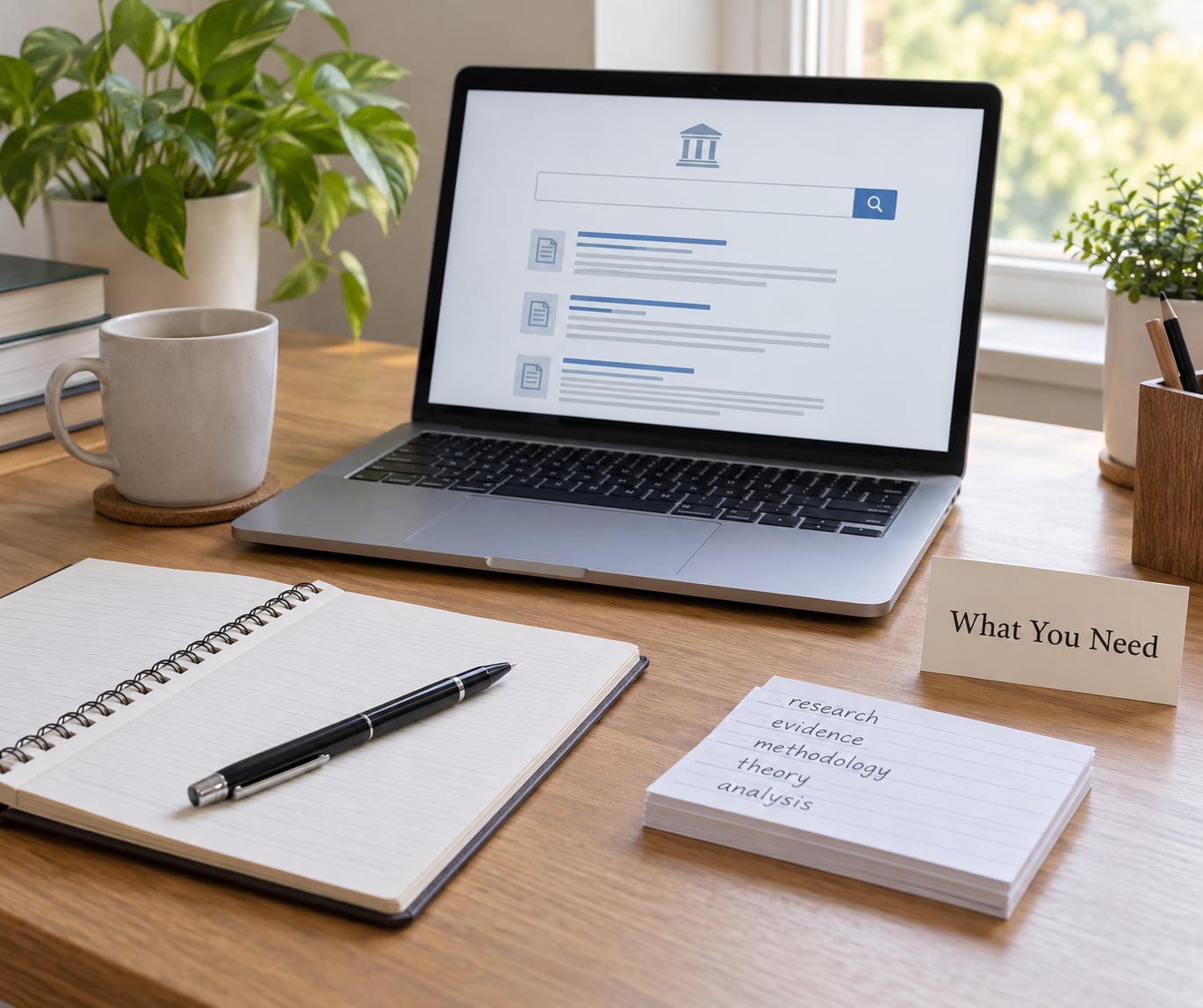
You need five things before you type anything, and all five are free.
A research question, not a topic. “Social media and mental health” is a topic. “How does evening social media use affect sleep quality in university undergraduates” is a question you can search. Topics produce thousands of results; questions produce dozens of relevant ones.
A keyword list. Write down the core concepts, then add synonyms, abbreviations, and the population or setting you care about. If you don’t know your field’s vocabulary yet, use the reference list of one relevant paper you already have. That list is a free, curated vocabulary list.
A Google account with Library Links set up. Without this, Scholar shows you paywalled PDFs with no route to the full text. Go to the gear icon at the top of scholar.google.com, choose Settings, switch on Library Links, and select your institution. If your institution isn’t listed, search for it by name and pick the version marked “available to all” or “public”. This single setting is the difference between an abstract-only hunt and full-text research.
A reference manager. Zotero is free and captures Scholar citation data directly from any results page. EndNote works too if your department already uses it. Typing references by hand is where citation errors enter your work.
An evidence log. A spreadsheet or a notebook with columns for title, year, why it matters, what the sample was, and where the full text lives. This is the thing that makes writing later fast instead of painful.
Step-by-Step: How to Use Google Scholar Effectively for Research
Step 1. Turn Your Research Topic Into Search Terms
Break your question into concepts, then search one concept at a time before combining them.
For a question about evening social media use and sleep in undergraduates, the pieces are: the behaviour (evening social media use, screen time, bedtime scrolling), the outcome (sleep quality, sleep onset latency, insomnia), the population (undergraduates, university students, young adults), and the context (country, age band, survey timeframe). Scholar matches all terms in the title or abstract by default, so a four-concept query returns almost nothing.
Add the synonyms your field actually uses. Someone writing about the same thing three years earlier may have called it “problematic smartphone use” rather than “evening social media use”. Missing a term that a subfield prefers means missing that subfield’s literature entirely.
Step 2. Build a Query: How to Use Google Scholar Effectively
Start narrow, then loosen. Type two or three of your most important concepts in plain words, look at the results, and decide which direction to widen.
Quotation marks force an exact phrase, which is useful for a named instrument or a specific theory (“sleep onset latency”) and harmful for a concept people phrase differently. One term at a time finds more; a quoted phrase finds fewer but more precise. Run both and compare counts.
Only a handful of Boolean-style operators actually work in Scholar: OR, the minus sign, quotation marks, and the Google-style prefix operators listed below. NOT is not supported, and parentheses do not group terms, so a query like “social media AND (sleep OR insomnia) NOT depression” will not behave as written.
These are the operators worth memorising:
| Operator | What it does | Example query |
|---|---|---|
| “exact phrase” | Returns only results containing that exact wording | “sleep onset latency” social media |
| OR | Matches either term instead of both | “social media use” OR “screen time” sleep |
| – | Excludes a word; Scholar’s substitute for NOT | social media sleep -sports -music |
| intitle: | Searches only the title | intitle:”social media” intitle:sleep |
| author: | Finds works by a named author | author:”Hirshkowitz” social media sleep |
| source: | Restricts to a specific journal or publication | source:”Sleep Medicine” social media |
| site: | Limits results to one publisher or domain | site:ncbi.nlm.nih.gov social media sleep |
| filetype:pdf | Returns only items with a free full-text PDF | filetype:pdf “social media” sleep quality |
| allintext: | Requires every listed word somewhere in the text | allintext:adolescents allintext:sleep duration |
Build the query in stages. Check the result count after each addition; when it collapses to nothing, drop the least important term rather than rewriting the whole thing. Search in an incognito window if your own past searches have started biasing what Scholar suggests.
Step 3. Apply Useful Filters
Filters cut noise faster than any query trick, and the right-hand sidebar holds most of them.
Use the date range box to set a custom window when you need current work, such as the last five years. Use the “since year” dropdown for a quick recency sweep, but stay aware of the trap below. Publication type filters narrow to review articles, books, or conference papers; the “include patents” and “include citations” toggles change what counts as a result at all. Language filters matter if you read in more than one tongue.
Sort by relevance, not by date, until you have a stable result set. Sorting by date is the most complained-about behaviour in Scholar: users report that switching to it appears to delete most of their results. The reason is that the date sort ranks by the most recent addition to a record rather than by publication date, so older papers that were indexed or revised late sink below newer ones. If you need recent work, use the date range filter with relevance sorting instead.
One more warning: filtering to peer-reviewed articles excludes theses, conference papers, preprints and working papers. In software, AI and social-science work, that filtered literature is often exactly the material you need.
Step 4. Scan Results Before Opening a Paper
Read the results list like a catalogue, not a search result page. Twenty titles take about a minute to scan and save you twenty wasted PDF downloads.
Check the author names against who you expect. An author with several distinct profiles is a warning, not a curiosity. Look at the publication venue, the year, and the version label: a “[PDF]” at the top means a full text is available, a “[BOOK]” or “[CITATION]” marker tells you the record is a stub with metadata only, and “[HTML]” means a web version you can read immediately. Multiple versions of one paper with slightly different titles is normal and is handled in Step 7.
Treat the citation count as a routing signal rather than a verdict. A paper with 4,000 citations published two decades ago is a classic, not automatically the best evidence for a new question. Sorting your own reading by relevance first and citations second keeps classics from crowding out recent findings.
Step 5. Follow Citation Trails
The strongest use of Google Scholar for research happens after you find one good paper, not before.
- Open a promising result and read its abstract. If it addresses your question directly, it is a seed paper.
- Scroll to the reference list and note the two or three works it leans on. This backward pass finds the foundational studies your field still argues from.
- Click “Cited by” under the result. This shows every later paper that referenced it, newest first, with the ones Scholar judges most relevant shown first.
- Screen the Cited by list for work published after yours, by authors whose names you recognise, or on a different population or method. Those are your newest sources.
- Repeat from each new paper until a full round produces nothing new. Most fields take three to four rounds to dry up.
- Use “Similar articles” when you have a paper but no keywords. It finds works with a similar reference profile, which is how you enter a field whose vocabulary you don’t yet know.
Two passes, done deliberately, beat random browsing. The backward pass gives you the intellectual roots. The forward pass gives you current work and often exposes a contradiction you can build a research gap around.
Step 6. Check the Full Text and Source Quality
Before a paper enters your evidence log, run a fast check on five things.
- Relevance: does the sample match your population, and does the measured outcome match yours?
- Design: randomised, longitudinal or cross-sectional. A cross-sectional survey cannot support a causal claim, whatever its citation count says.
- Sample: size, country, and recruitment method. “Convenience sample of undergraduates at one university” is a limitation the abstract may bury.
- Peer review and venue: check whether the journal is indexed in reputable databases and whether its publisher is known. Be wary of journals that email you invitations, guarantee acceptance, or charge fees before review.
- Completeness: if you only have the abstract and reference list, you don’t have the source. Get the full text before you cite a specific finding.
For anything you’ll lean on, run the title through a retraction check such as Retraction Watch or PubPeer. It takes ten seconds and it’s a check most reviewers skip.
Step 7. Save, Organize, and Record Sources
Capture the citation while the paper is open. Every minute you spend reconstructing author names, year and journal later is a minute you lose to formatting errors.
On each result, click the quote icon and choose BibTeX, EndNote or RefMan; with Zotero installed, the connector icon in the browser toolbar saves the record and, when you open the PDF, the full text and page anchors with it. Label saved items by purpose rather than by topic: “method for measuring sleep quality”, “counter-argument I need to address”, “statistics source for my sample size”.
In your evidence log, record the sample size and the main finding in your own words. Writing one sentence about a paper when you save it is the cheapest way to avoid re-reading everything at writing time.
Step 8. Use Advanced Features for Ongoing Projects
Alerts turn Scholar from a search engine into a subscription service, and they’re most useful on a recurring literature review rather than a one-off assignment.
Run the query you’d use by hand, open the alert dialog from the result list, and pick your frequency. Weekly is the sane default; daily buries you. Create one alert per conceptual cluster you actually intend to write about, not one broad alert for your whole field. The biggest payoff comes from tightly scoped alerts, where researchers report getting early notice of papers that later mattered for their work.
Two filters make an alert worth having: restrict it to a specific author when you’re tracking a line of work, and use the query operators so the alert fires on topic rather than on a common phrase. Keep a short list of alerts and cancel the ones you no longer read. Twenty unread alerts are the same as zero alerts.
Two limits are worth knowing. Google Scholar is not a complete bibliographic database, and its coverage of book chapters, humanities work and non-English journals is thinner than a subscription index. For a systematic review, protocol-based work, or anything where you must claim to have checked everything, pair it with a structured database rather than relying on Scholar alone.
For medical and life-science work, that partner is usually PubMed. For the wider social sciences, Web of Science or Scopus give you structured citation data and export formats. Semantic Scholar is useful for its citation-context view, showing the sentences around each citation. Google Scholar’s edge is breadth and speed; the paid indexes’ edge is precision, coverage guarantees and reproducibility.
One more practical step if you publish: check your own public author profile. Scholar merges sources, so duplicates are common, and a duplicate profile splits your citation counts in ways that are hard to unpick later. Search your surname and common first initial, merge the fragments, and set it to public.
Common Mistakes
Almost every complaint about Google Scholar comes from one of six habits.
Sorting by date instead of using a date filter. It re-ranks oddly and hides older relevant work. Set a custom date range with the Articles link selected and leave the sort alone.
Treating citation count as quality or as an impact factor. It is a raw count of citing works, and it strongly rewards age, field size and self-citation. A single paper with 400 citations is a moderately well-read paper; 400 citations across a researcher’s career is ordinary for an early-career scholar. The honest answer is that the number means nothing without a comparison group of the same field, age and article type.
Using NOT, or assuming parentheses group terms. Google Scholar drops NOT and doesn’t group with brackets. Use a minus sign before the word instead, and run separate searches for each concept you would have grouped.
Filtering to peer-reviewed articles too early. You lose theses, conference papers and preprints, which in several fields are where new methods first appear. Filter after you have seen the unfiltered set.
Citing the abstract. If you’ve only read the abstract and the reference list, you can’t honestly claim to have read the paper, and you may have missed its limitations section.
Stopping at the first page. Ranking rewards citations, so the first page skews older. Two pages of relevance-sorted results plus a “Similar articles” pass will find more usable work than ten pages of date-sorted results.
Assuming Scholar is a complete index. It is a search engine over scholarly content, with documented bias toward older, highly cited, English-language work. For a systematic review or a meta-analysis, document your coverage honestly and check a structured database too.
Frequently Asked Questions
Does Google Scholar allow Boolean operators?
Partly. Google Scholar supports OR between terms, a minus sign to exclude a word, and quotation marks for exact phrases. It does not support NOT, and parentheses do not group terms, so complex Boolean expressions return misleading results. Build queries from two or three concepts, test each one separately, and combine with OR and minus instead of nesting logic.
How do I search correctly in Google Scholar?
Start with two or three of your most important concepts in plain words, check the result count, then tighten or widen from there. Use quotation marks for named instruments or theories, OR for synonyms, and a minus sign for noise words. Then apply the date range and publication type filters on the right of the results page, and sort by relevance rather than date.
Is Google Scholar reliable for research?
It is reliable for finding peer-reviewed work, and unreliable as a claim of complete coverage. Its ranking rewards citations, which tilts results toward older, English-language and heavily cited papers, and it indexes book chapters and some non-English journals unevenly. Use it as a strong starting point, then confirm with a structured database when your method requires exhaustive coverage.
Which is better, PubMed or Google Scholar?
For health and life-science research, PubMed. It is curated, has a native MeSH subject index, reliable publication-type filters and clear retraction handling. Google Scholar reaches wider, covering books, conference papers and grey literature, and its Cited by view is faster to explore. Most researchers use both: PubMed to find and filter clinical evidence, Scholar to trace citation trails around it.
Is 1000 citations on Google Scholar good?
On its own, no. A citation count reflects age, field size and how many citing works exist, not the quality of the paper. A thousand citations on a recent paper in a small field is exceptional; a thousand on a classic in a large field is ordinary. Compare within the same field, publication type and age range, and read the methods and limitations before treating any number as evidence.
How do I get the full text when Google Scholar only shows an abstract?
First turn on Library Links in Google Scholar Settings and choose your institution, so subscription access appears beside every result. If that fails, look for a free PDF on a repository, a preprint server or an institutional repository, or try the Unpaywall browser extension. Your library’s interlibrary loan can usually obtain the article within a few days, and emailing the corresponding author directly works more often than people expect.
Conclusion
Start by doing one thing: rewrite your topic as a question, pull three keywords from it, and run one exact-phrase search with a date range. That single query will show you more about the shape of your literature than an hour of browsing.
Then keep the loop going. Search narrowly, filter by date, read the abstract before the PDF, check the design and sample, chase Cited by outward two or three rounds, and save each usable source with a one-sentence note in your evidence log. That is how you use Google Scholar effectively for research: not as a place where articles live, but as a map of how the research connects. Check back through your alerts once a week, and you will never start a literature review from zero again.