
Knowing how to document your data cleaning decisions comes down to one artefact: for every change to your dataset, a written record of what changed, why it changed, how many records it touched, and who made the call. That record is a cleaning decision log, a table with fixed columns that sits beside your script and codebook. It takes about ten minutes per rule once you have the template, and it saves you from re-deriving your own reasoning six months later.
Most people document the code and skip the reasoning. That is the gap that causes trouble: a reviewer asks why 214 records were removed, a teammate asks what the -999 values mean, and there is no answer anywhere in the folder.
This guide walks through the seven steps, gives you a copy-ready log template with a filled example, shows where the log lives in Stata, R and Python, and finishes with the mistakes that turn documentation into noise.
Table of Contents
- 1What You Need
- 2How to Document Your Data Cleaning Decisions Step by Step
- 3Preserve the Original Dataset
- 4Define the Cleaning Objective and Rule
- 5Record the Issue, Decision, and Rationale
- 6Document Your Data Cleaning Decisions in Code
- 7Log the Result and Data Impact
- 8Review, Version, and Approve the Log
- 9Export the Documentation With the Analysis
- 10Common Mistakes
- 11Frequently Asked Questions
- 12What should I include when I document my data cleaning decisions?
- 13How detailed should a data cleaning log be?
- 14Where should I store my data cleaning log?
- 15How do I document changes without revealing sensitive participant information?
- 16Can a data cleaning log be included in a thesis or research repository?
- 17What should I do if I discover an error after analysis has started?
- 18Start With One Complete Entry
What You Need
You need six things before the first cleaning rule runs. Anything missing at this stage usually gets improvised later, and improvised decisions are the ones nobody can defend.
- The raw dataset as received. The untouched export from the survey platform, the lab instrument, or the partner organisation. Keep it exactly as it arrived.
- A codebook or data dictionary. Variable names, labels, units, and permitted value codes. If you do not have one, build it as part of the cleaning work and say so in the log.
- An analysis plan. Even two paragraphs describing what you intend to estimate. It is what lets you tell a justified cleaning rule from one that suits a result you want.
- A cleaning decision log template. The table below. Set the columns once, before any cleaning happens.
- A backup or version control method. Git, a dated folder copy, or institutional storage with restricted write access. This is what keeps the raw file immutable.
- The software you will use, named with its version. Stata 18, R 4.3 with tidyverse 2.2, Python 3.12 with pandas 2.2. Write the version in the log header on day one.
Say plainly who owns the decisions. For a thesis that is usually you, with your supervisor approving anything that changes the sample. For a team pipeline it is whoever signed off on the change, dated.
How to Document Your Data Cleaning Decisions Step by Step
Preserve the Original Dataset
Make the raw layer read-only before you touch anything. Copy the file into a raw/ folder, set the permission to read-only, and leave it there. Every subsequent file you create is a derived artefact, and the raw file is the only thing you never edit.
Rename the file with its collection date and a version marker, for example wave1_survey_raw_2026-03-14.csv. Dated filenames beat final.csv and final_v2.csv, which tell a future reader nothing about which is which.
How do you know it worked? Try to edit the raw file and fail. If your software can save over it, your setup is not protecting anything yet.
Define the Cleaning Objective and Rule
Before writing a rule, write the problem in one sentence, the reason you are addressing it, the rule itself, and the basis for it. If you cannot fill in the fourth item, you are guessing.
Write it in a fixed four-part sentence: problem, reason, rule, basis. Every entry uses the same shape, so a reader scanning the log column sees the reasoning and not just the action. When the basis is a person rather than a document, name the source the way you would cite it, because “discussed with the data manager” is not traceable six months later.
A concrete case: age was collected as a free-text field, and the missing values arrive as 999, -9, NA, and a blank. The decision is to treat all four as missing and replace them with a single missing code, leaving the original value in a preserved column. The basis is the codebook, which defines 999 as a refusal marker rather than an age, and the instruction sheet for the instrument, which defines -9 as not reached.
Confirm the rule is defensible by asking three questions. Does the source documentation support it? Would a reader in your field agree? Does it change your sample size in a way you can state plainly? If any answer is no, hold the rule as a query to your data provider rather than a decision in the log.
Note the difference between an assumption and an instruction. An instruction comes from the codebook or the funder. An assumption is yours, made because the documentation was silent, and it needs the label written on it so a reviewer can disagree with it.
Record the Issue, Decision, and Rationale
This is the core of the task. Every judgement call gets one row in the decision log, with the same columns in the same order, so the log stays sortable and comparable across projects.
| Column | What to write | Example entry |
|---|---|---|
| Log ID | Short unique code, never reused | CLEAN-004 |
| Date | ISO format, YYYY-MM-DD | 2026-04-02 |
| Owner | Who made the decision | A. Researcher |
| Dataset and variable | File name and column touched | wave1_survey_raw, age_years |
| Issue observed | What is wrong, in plain words | Four different missing markers in one numeric field |
| Decision | The action taken, in the active voice | Recode 999, -9, NA and blank to system missing; original retained in age_years_orig |
| Rationale | Why this and not the alternative, with the source | Codebook p.12 defines 999 as refusal, instrument instructions define -9 as not reached |
| Records affected | Count before and after | 1,204 rows changed; N falls from 2,880 to 2,341 |
| Flag column | Traceability marker added to the data | age_missing_flag (1 = recoded, 0 = unchanged) |
| Status | Proposed, applied, or reversed | Applied |
| Related ID | Link to the earlier log ID if this reverses one | Supersedes CLEAN-002 |
Here is the same idea filled in for two common problems, so you can see how concrete a rationale gets.
| Log ID | Issue observed | Decision and rationale | Records affected |
|---|---|---|---|
| CLEAN-004 | Four missing markers in age_years | Recode to system missing. Codebook defines 999 as refusal and the instrument sheet defines -9 as not reached, so neither is an age. | 1,204 recoded; 539 rows set to missing |
| CLEAN-005 | Negative order amounts in 38 rows | Keep the values and label them as refunds rather than deleting them. The vendor export documents refunds as negative totals, and dropping them would overstate revenue. | 0 rows removed; 38 recoded to txn_type = refund |
The negative-amount example is the one people get wrong most often. The instinct is to delete impossible values. The record shows the actual decision was to keep them and name them, which is a different claim about the data entirely.
Duplicates are the case where documentation earns its keep, because there is rarely one correct answer. Keep a dedupe indicator column recording which row survived, and record the rule you used in the log: earliest timestamp wins, most complete record wins, or sum the duplicates. Two analysts picking different rules get different sample sizes, and the log is what tells a reviewer which rule produced your numbers.
Outliers follow the same pattern. The decision is rarely “remove”, and the useful entry names the threshold, the source of that threshold, and the count on each side of it. A rule based on a physiological plausibility range from the field protocol is different in kind from a rule based on the standard deviation of your own sample, and the log should make that difference obvious.
Write the rationale so a stranger could act on it. “Cleaned the outliers” is not a rationale. “Removed 6 records with systolic pressure above 200, which the field protocol treats as a device failure, logged in CLEAN-011” is one.
Document Your Data Cleaning Decisions in Code
The script is your record of the operation, and the log is your record of the reason. They are not substitutes. A script tells you that 999 became missing. Only the log tells you whether that was right.
Keep each cleaning rule as its own named step with a comment that carries the log ID, so the two documents can be reconciled either direction.
In Stata, use a do-file with the log using command to capture the session, and iecodebook or codebook to regenerate the codebook from the cleaned data so the two never drift apart.
* CLEAN-004 2026-04-02 A. Researcher
* Recode mixed missing markers in age_years to system missing
capture confirm variable age_years_orig
if _rc gen double age_years_orig = age_years
replace age_years = . if inlist(age_years, 999, -9)
label variable age_years_orig "Age as received, before recoding"
label variable age_years "Age in years, system missing for refusal/not reached"
In R, the equivalent documentation lives in an R Markdown or Quarto document, where each cleaning chunk can name the log ID and print the before and after counts as part of the rendered output. The report becomes both the code and the record.
## CLEAN-004: recode mixed missing markers in age_years
dat_clean <- dat_raw |>
  mutate(age_missing_flag = as.integer(age_years %in% c(999, -9)),
         age_years = if_else(age_years %in% c(999, -9), NA_real_, age_years))
# rows changed: 1204
In Python, use the standard logging module so the narrative lands in a file next to the output rather than scrolling past in a terminal. Keep the counts in the message, not just in a comment.
import logging
logging.basicConfig(filename="cleaning_decisions.log", level=logging.INFO,
                    format="%(asctime)s %(message)s")

# CLEAN-004: recode mixed missing markers in age_years
mask = df["age_years"].isin([999, -9])
df["age_missing_flag"] = mask.astype(int)
df["age_years"] = df["age_years"].mask(mask)
logging.info("CLEAN-004 recoded %d missing markers in age_years", int(mask.sum()))
If you use an AI assistant to write any of these transformations, the human-readable rationale in your log matters more, not less. Generated code is auditable only if a person wrote down what it was supposed to do before running it. Note in the log which parts were machine-generated.
Log the Result and Data Impact
A decision without an impact count cannot be checked, and that is the part most logs leave out. Record the number of records affected, the values before and after, any new variables, any recoded categories, and any rows excluded.
Then produce a before and after summary. This is your validation evidence, and it is the table that makes a reviewer comfortable.
| Check | Before cleaning | After cleaning | What you expect |
|---|---|---|---|
| Rows | 2,880 | 2,341 | Drop matches documented exclusions only |
age_years missing | 18.3% | 37.2% | Rises because refusal codes became explicit missing |
| Exact duplicate IDs | 114 | 0 | Resolved under CLEAN-003 |
age_years min / max | -9 / 999 | 18 / 91 | Range matches the plausibility rule in CLEAN-006 |
| Value labels present | 3 of 4 | 4 of 4 | All codes labelled |
The missing percentage going up is the sort of line that needs a note. It looks like a problem and is actually the correct consequence of a documented rule, and a sentence in the log explains why.
Add flag columns wherever a change is not fully reversible. An age_missing_flag column lets you report results with and without the recoded records without rebuilding anything, and it keeps the decision visible inside the dataset itself rather than only in a separate document that can drift out of date.
Two totals should always balance. Rows removed plus rows kept equals rows received. Categories before plus categories added equals categories after. When they do not, the rule did something you did not describe, which is exactly what the check exists to catch.
Run the same summary block after every rule rather than once at the end. A rule that changes your sample size by 40 percent is usually a bug, and you want to see that on the day you wrote it.
Review, Version, and Approve the Log
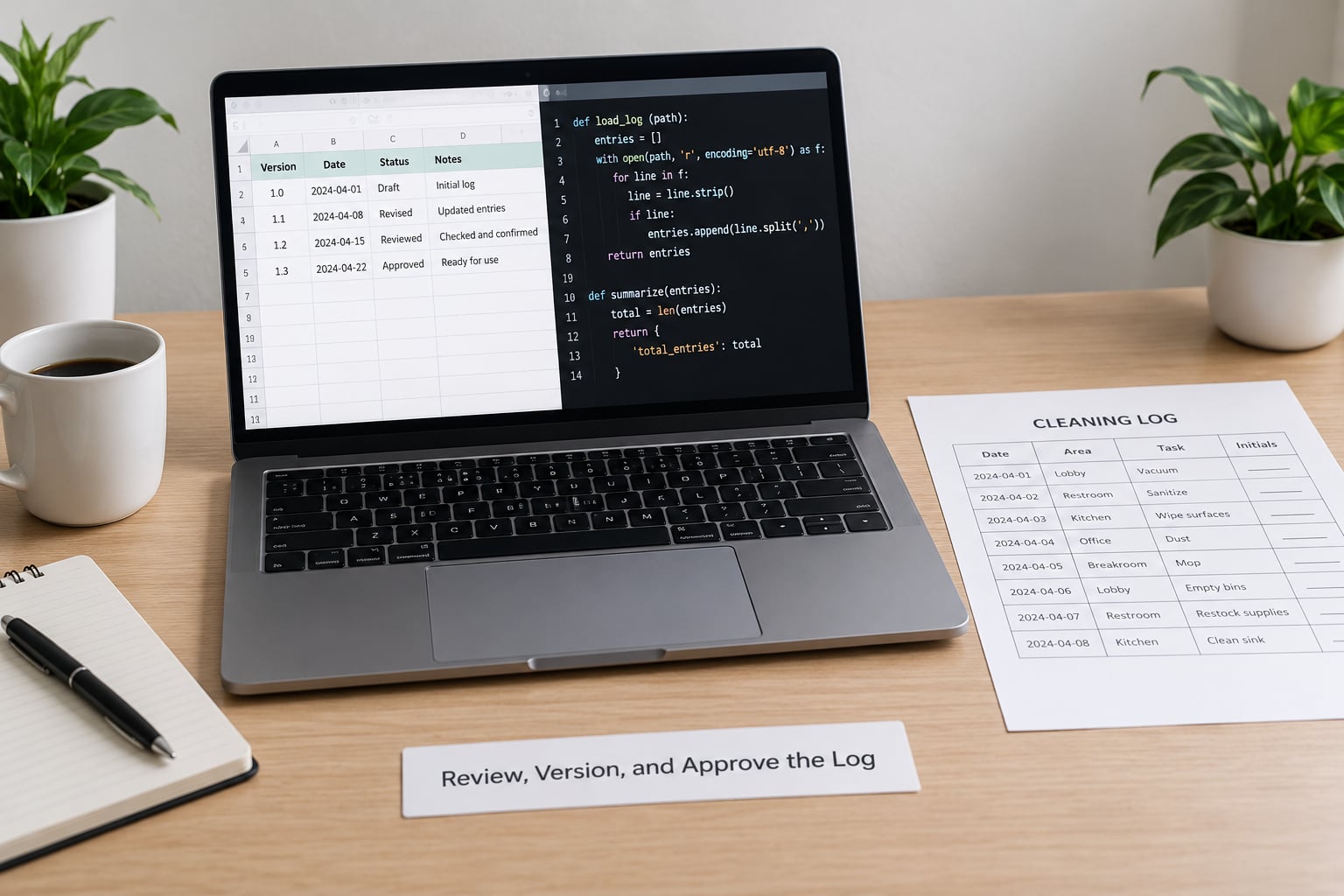
Three tests tell you whether the log actually works. First, reproducibility: could a colleague who has never seen the project rebuild your cleaned dataset from the log and the script alone? If they would have to ask you a question, that question is the gap.
Second, privacy. Logs often quote a row as an example, and an example row can contain a name, a postcode, or a free-text answer about health. Keep identifiers out of the rationale column, refer to records by row ID, and keep the reason for the change in words that describe the pattern, not the person.
Third, consistency. Two people using the same word for two different rules is worse than no log, because it looks reliable. Agree a small vocabulary: missing, excluded, recoded, imputed, deduplicated. Write it at the top of the log.
When a rule turns out to be wrong, do not delete the old row. Set it to reversed, add a new row that supersedes it, and keep both. A log with corrections in it tells a reviewer you checked. A log that has been tidied up tells them nothing.
Export the Documentation With the Analysis
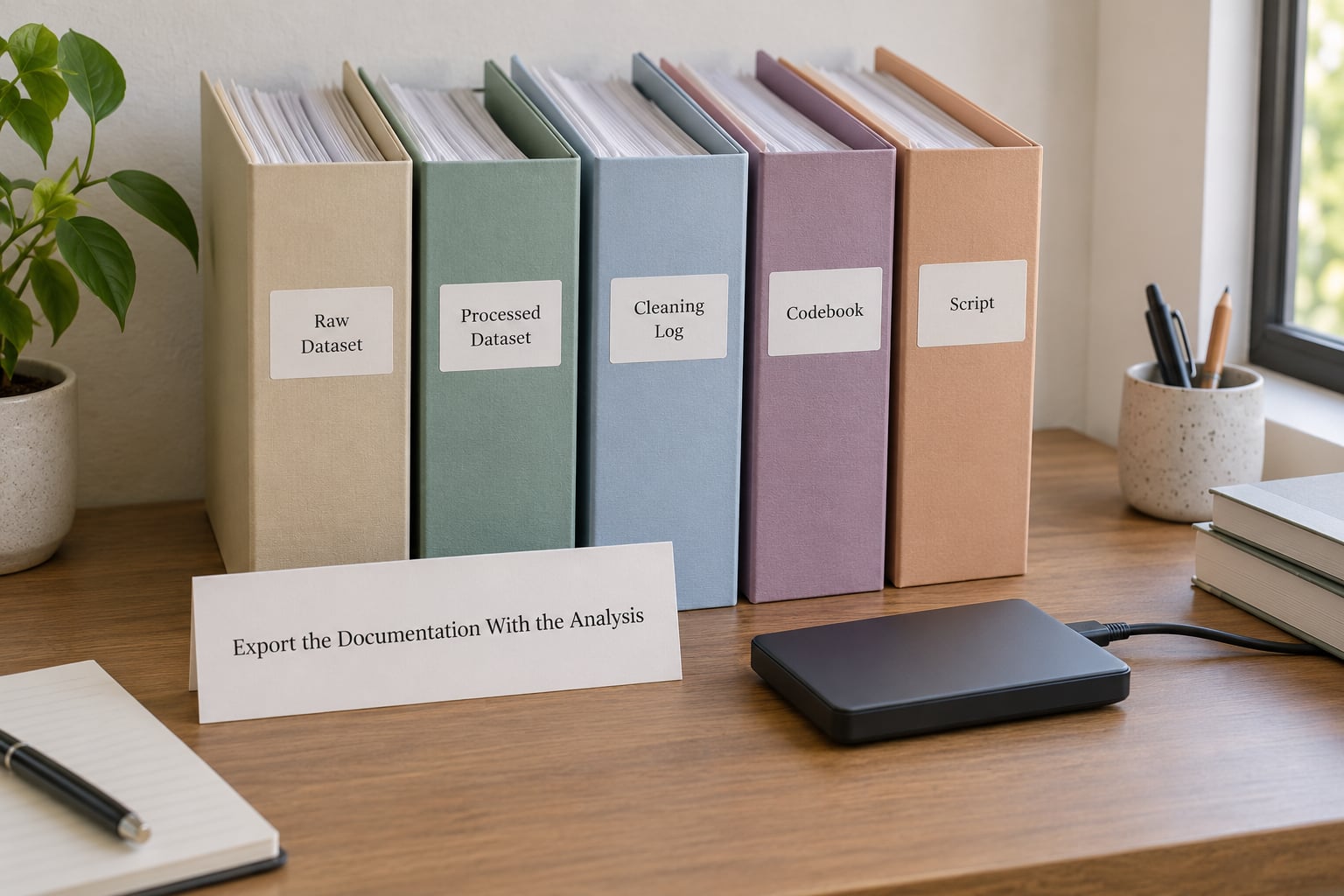
Ship the documentation with the data. One folder, one version number, four files: the cleaning log, the codebook, the script, and the processed dataset. Name the folder for the analysis rather than the project, for example analysis_03_wave1_v2.
In a thesis or paper, cite the log in the methods section rather than describing the cleaning in prose again. One sentence and a table reference is enough: “Cleaning decisions are documented in the accompanying decision log (Appendix B), which records the rule applied, the number of records affected and the rationale for each transformation.”
Keep the log as a text file or spreadsheet in version control, not as a column inside the analysis dataset. Mixing the two means a reader has to guess which values are data and which are commentary, and the moment someone sorts the file the commentary moves.
Handing over to a colleague takes one extra step: write a one-paragraph summary at the top of the log covering the four rules with the biggest effect on N. Most questions a new analyst asks land in that paragraph, and the rest of the log is the detail behind it.
For a journal submission or repository deposit, the log is the artifact a reviewer will actually read first. Check that the file opens, that every filename referenced in the log is present in the folder, and that a script in that folder runs from the raw file to the processed one without manual steps.
That last check is the honest test. If your colleague has to download a plugin you forgot to mention, the package is not reproducible yet.
Common Mistakes
Cleaning in place. Overwriting the raw file means no decision can be reversed, and reviewers cannot tell what changed. Fix: read-only raw folder, everything else derived.
Writing “data were cleaned”. This is the most common line in a methods section and it documents nothing. Fix: list the actual rules with counts, as in the table earlier.
Undocumented manual edits. Fixing one cell in a spreadsheet because it looks wrong leaves a value no script can reproduce. Fix: any manual fix becomes a log row with a rule that could apply to every row, and then you rerun the rule for all of them.
Inconsistent missing-value labels. Mixing blank, -9, 999 and NA across files means every later script needs a special case. Fix: one missing code per type, documented once.
Omitting software versions. Fix: a header line in the log naming the software and version. It costs one sentence and answers a question that otherwise stalls a replication attempt for weeks.
Documenting every typo. A log with 400 rows where 380 are formatting fixes is a log nobody reads. Fix: group mechanical changes into one row with a total count, and reserve individual rows for judgement calls.
Two habits keep this manageable. Add the row on the day you run the rule, not at the end of the project. And write the rationale sentence before you implement it, because if the sentence is hard to write you have probably not made the decision yet.
Frequently Asked Questions
What should I include when I document my data cleaning decisions?
Record the issue in plain words, the rule you applied, the rationale with its source, the number of records affected, any flag column you created, the person who decided and the date. That set is enough for someone else to rebuild the step. Code belongs in the script, not the log, so the two documents can be checked against each other.
How detailed should a data cleaning log be?
Detailed enough that a colleague could repeat your choice, not detailed enough to narrate every keystroke. One row per judgement call, and mechanical changes grouped into a single row with a count. If two analysts would disagree about whether a rule was reasonable, that row needs more detail, not less.
Where should I store my data cleaning log?
Next to the script and the data it describes, in version control where the project has one, or in the shared project folder where it does not. Not in a personal drive, not in email, and not only in a notebook cell. It needs to travel with the analysis when you deposit it.
How do I document changes without revealing sensitive participant information?
Refer to records by row ID rather than naming them, and describe the pattern instead of the person: values outside the plausible range rather than the participant aged 4. Keep the identifier columns out of any example rows you paste into the log, and check that free-text answers are not quoted. The rule and the count are what reviewers need.
Can a data cleaning log be included in a thesis or research repository?
Yes, and most journals and repositories expect something like it. Put it in an appendix for a thesis, and deposit the log alongside the script and codebook in a reproducibility package. Cite it once in the methods section so a reader knows the prose and the detailed record are the same document set.
What should I do if I discover an error after analysis has started?
Set the original log row to reversed, add a new row that supersedes it and explains what changed, then rerun the analysis from the raw file rather than patching the output. Keep the superseded row in the log. A corrected entry is evidence of diligence, and a quietly deleted one leaves a gap a reviewer will find.
Start With One Complete Entry
You do not need the whole system in place today. Protect the raw file, set up the eleven columns above, and write one complete entry for the next rule you run today. Once that row exists, the rest is repetition, and the habit is what keeps your dataset defensible well past 2026.